
 Login
Login
 For customers
 Only at ITsell!
  Cases
Cases 
 Glass / films
 Straps / Cases
  Charging devices
 Audio
Audio  Car accessories
 Cables / Adapters
 For home / office
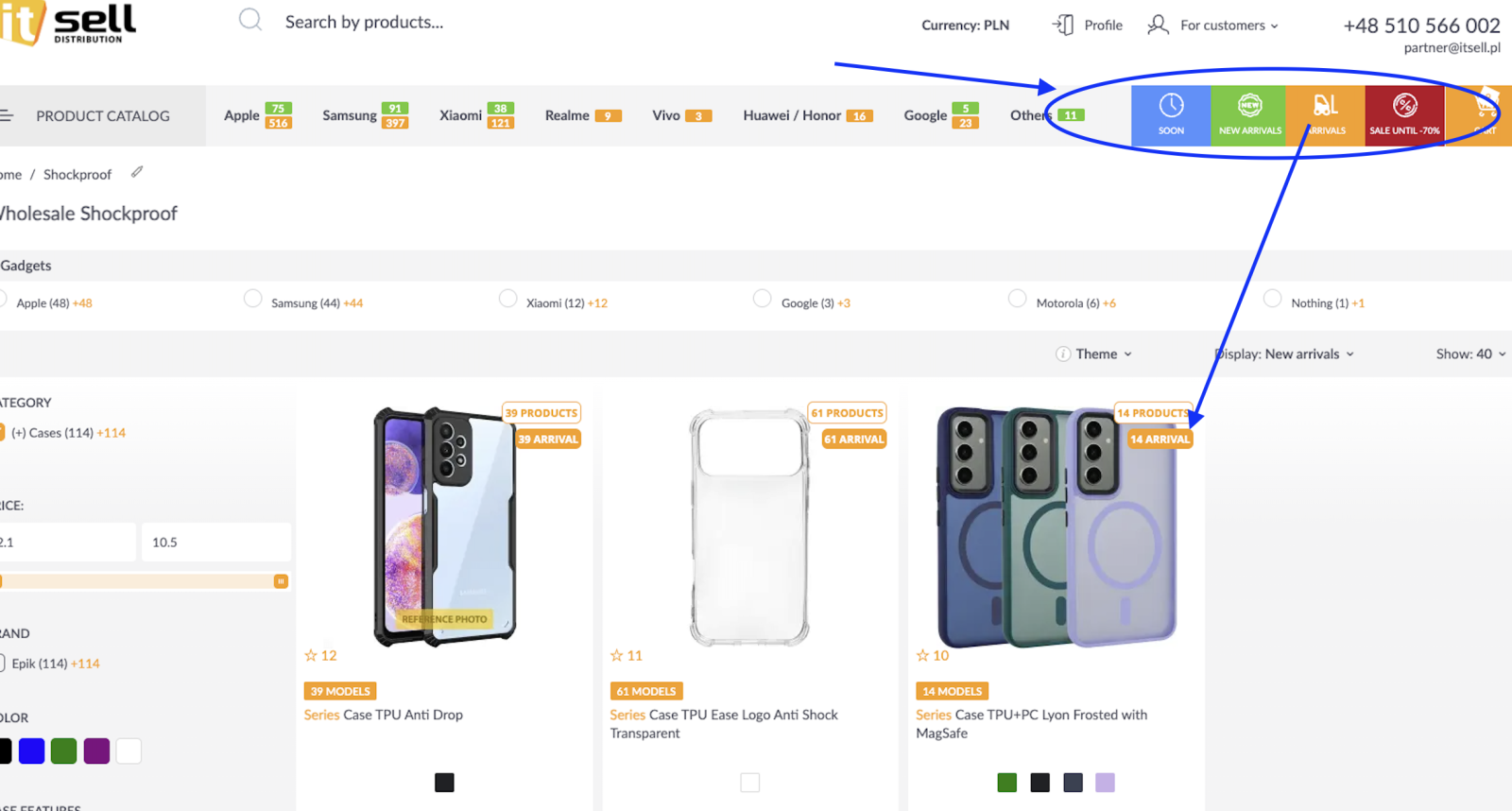
-
What is the “Coming Soon” tab?
The “Coming Soon” tab shows products that are currently in transit and not yet available for sale, but will be added to the offer in the near future. -
What does the “New Arrivals” tab mean?
The “New Arrivals” tab displays products that have been added to the catalog within the last month. -
What is the difference between “New Arrivals” and “Deliveries”?
New Arrivals – products added to the offer within the last 30 days
Deliveries – the most recent deliveries, meaning products that became available just a few days ago -
What does the “Sale / Clearance” tab include?
The “Sale” tab presents discounted and clearance products, including end-of-line items and limited-time offers. -
What do the colored labels on product cards mean?
Labels indicate the product status:
NEW (green) – new in the catalog
DELIVERY (orange) – product from the latest delivery
The label colors are consistent with the tabs at the top of the page. -
Can a product have multiple labels at the same time?
Yes. A product can be both:
-
a new arrival
-
from the latest delivery
In this case, two labels will be visible on the product card.
-
What does the TOTAL number next to categories mean?
TOTAL is the total number of indexed products available in a given category or filter. -
What do the numbers next to brands and categories mean (e.g., +16, +5)?
The green/orange numbers show:
-
how many new products appeared in a given brand or category
-
the change compared to the previous period
-
How does filtering work in the New Arrivals section?
You can filter products by:
-
brand
-
category
-
theme
-
product type
Filters narrow the view to products that meet the new arrivals / delivery criteria.
-
Do “New Arrivals” and “Deliveries” update automatically?
Yes — these sections update automatically based on product add dates and the dates of the latest deliveries.
____
It's very simple and quick! 😊
Made with love for you! ❤️