
 Login
Login
 For customers
 Only at ITsell!
  Cases
Cases 
 Glass / films
 Straps / Cases
  Charging devices
 Audio
Audio  Car accessories
 Cables / Adapters
 For home / office
🔍 How can I search for products?
-
You can search products by catalogue, brand, phone model, or product type.
-
Use the search bar at the top to quickly find a specific product or series.
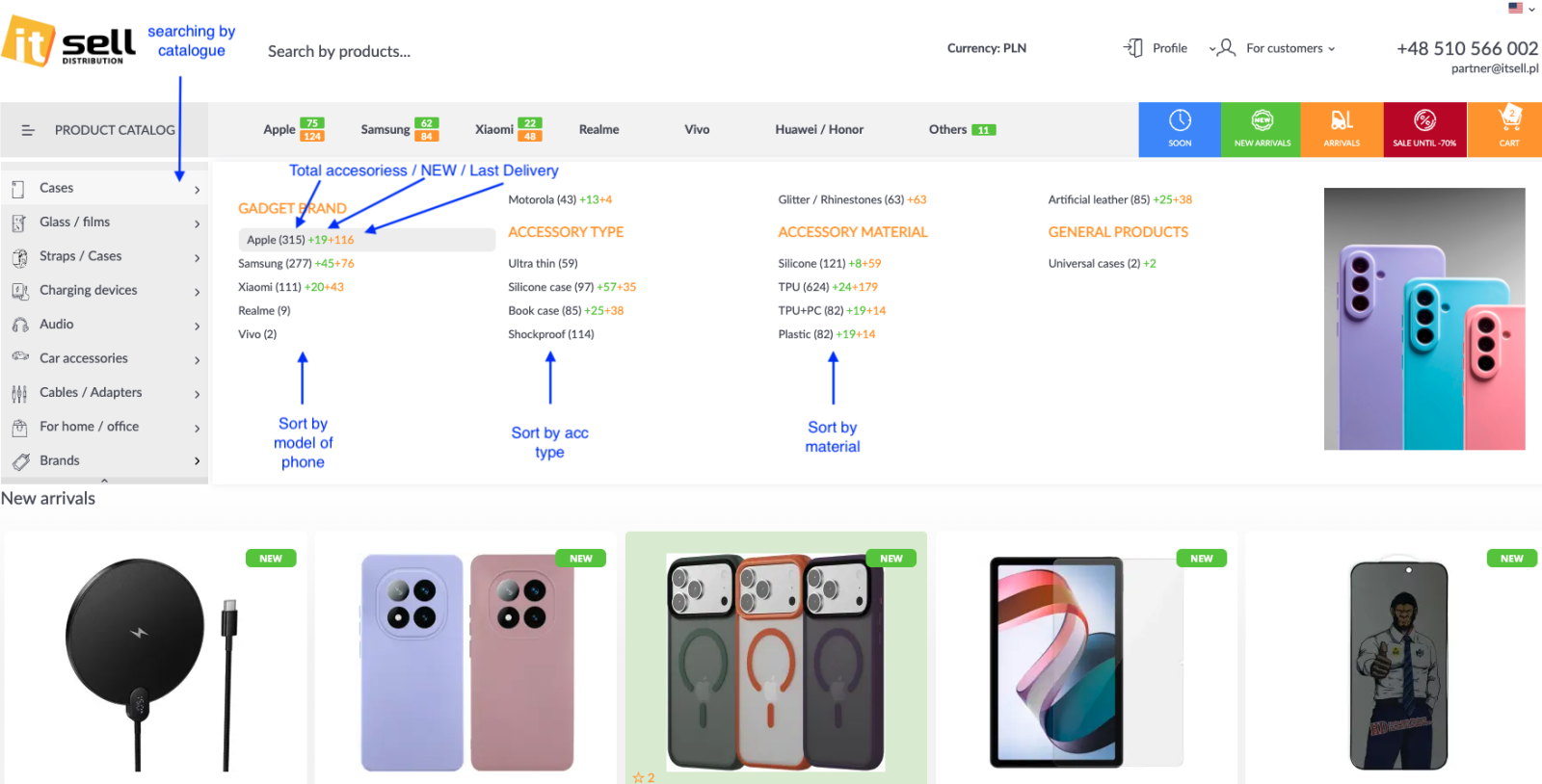
📱 How do I filter products by phone brand or model?
-
Select the phone brand (e.g. Apple, Samsung, Xiaomi) from the top menu.
-
You can further narrow results by choosing a specific phone model.
-
The number next to each brand/model shows how many products are available.
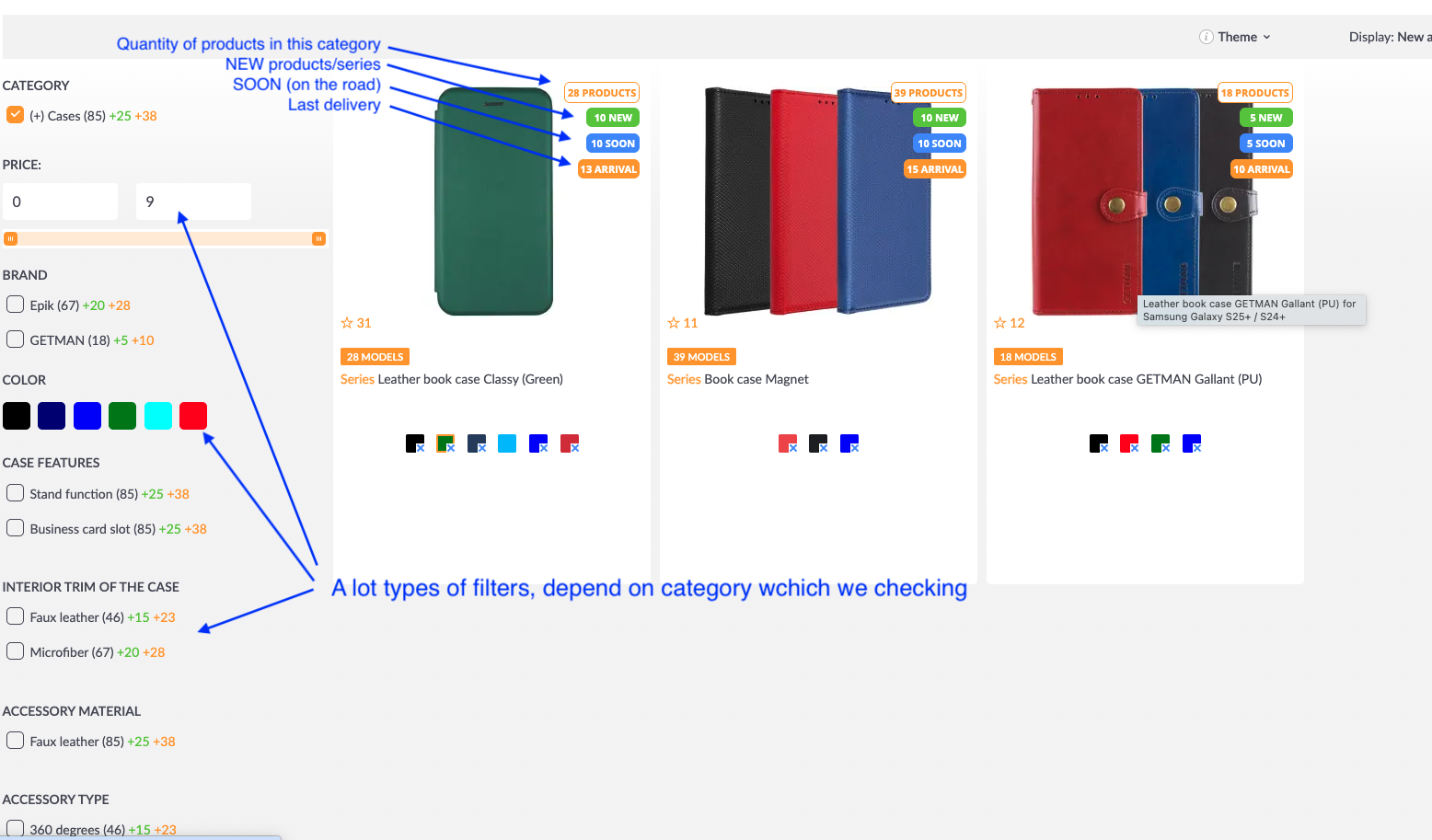
🧩 What types of filters are available?
Depending on the selected category, you can filter products by:
-
Price range
-
Brand
-
Color
-
Material
-
Case features (e.g. stand function, card slot)
-
Interior trim
-
Accessory type
Filters adjust dynamically based on the category you are browsing.
🎨 How do color selection and quantities work?
-
Each color icon represents an available color variant.
-
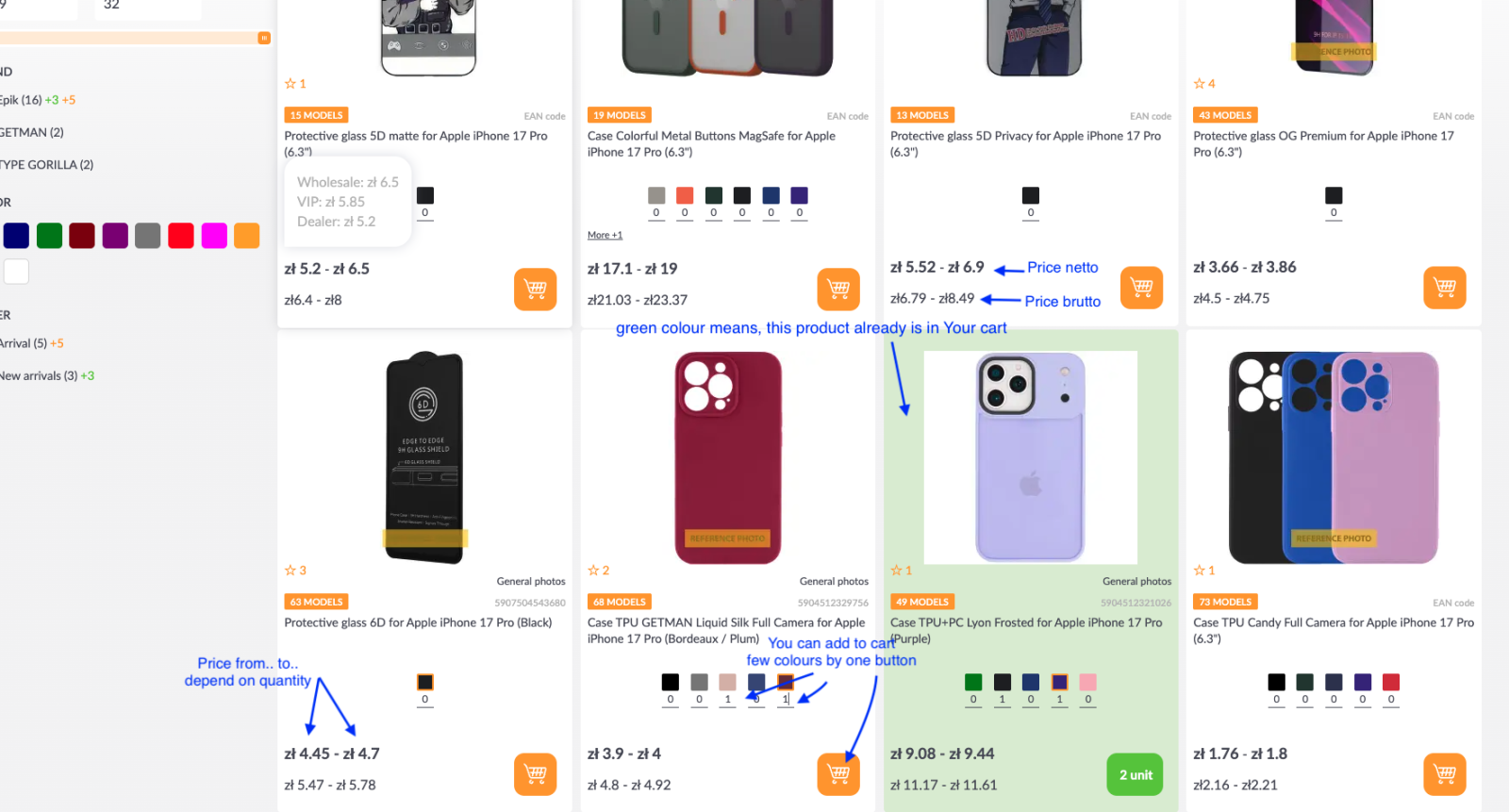
You can add multiple colors at once using a single button.
-
Numbers below colors indicate how many units are already added to your cart.
🛒 What does the green product background mean?
-
A green background means that this product is already in your cart.
-
The green label also shows the total quantity added.
💰 Why do I see two prices?
-
Top price = Net price
-
Bottom price = Gross price (including VAT)
-
Prices may vary depending on the month turnover (price range “from – to”).
📦 What do the product labels mean?
-
NEW – newly added products or series
-
SOON – products arriving shortly
-
ARRIVAL – products from the latest delivery
-
The label also shows the number of products or models in a given series.
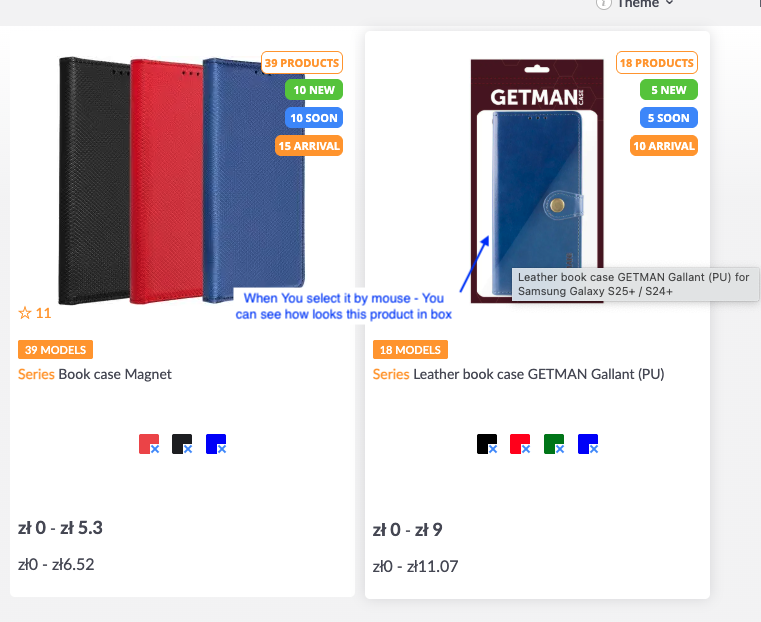
🖼️ How i can check packing?
-
Put arrow on picture
-
Now You see real photo of product in box/packing.
🧭 How can I sort products?
-
Products can be sorted by:
-
Phone model
-
Accessory type
-
Material
-
New arrivals or latest deliveries
-
🧾 Can I see how many models are in one product series?
-
Yes. Each product card shows the number of available models (e.g. “39 Models”).
-
Clicking the product lets you choose the exact model you need.
____
It's very simple and quick! 😊
Made with love for you! ❤️