
 Login
Login
 For customers
 Only at ITsell!
  Cases
Cases 
 Glass / films
 Straps / Cases
  Charging devices
 Audio
Audio  Car accessories
 Cables / Adapters
 For home / office
Favorites / Comparison — an updated feature on the website
We have improved the “Favorites / Comparison” section to make choosing products even faster and more convenient.
Open the page of the product you need.
Click the “Favorites / Comparison” icon next to the product name or availability status. Once clicked, the product will be automatically added to your list.
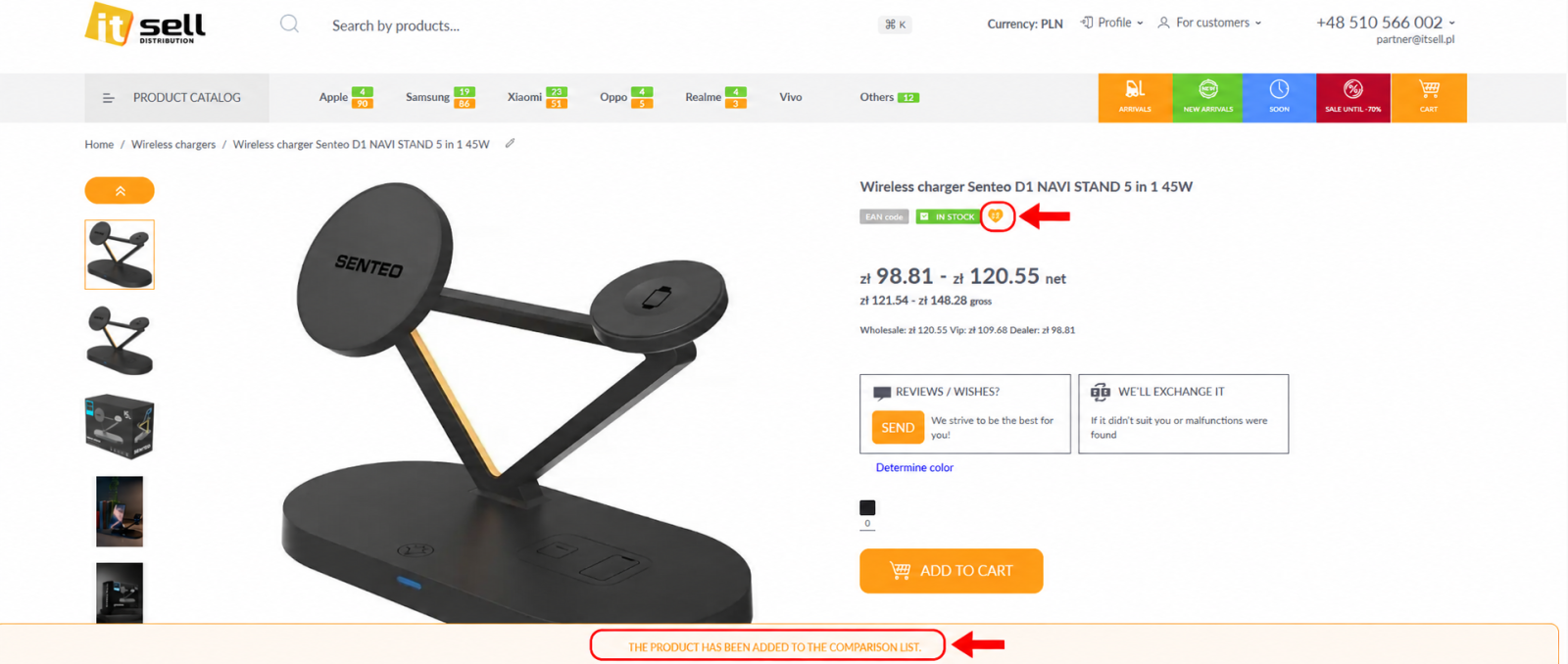
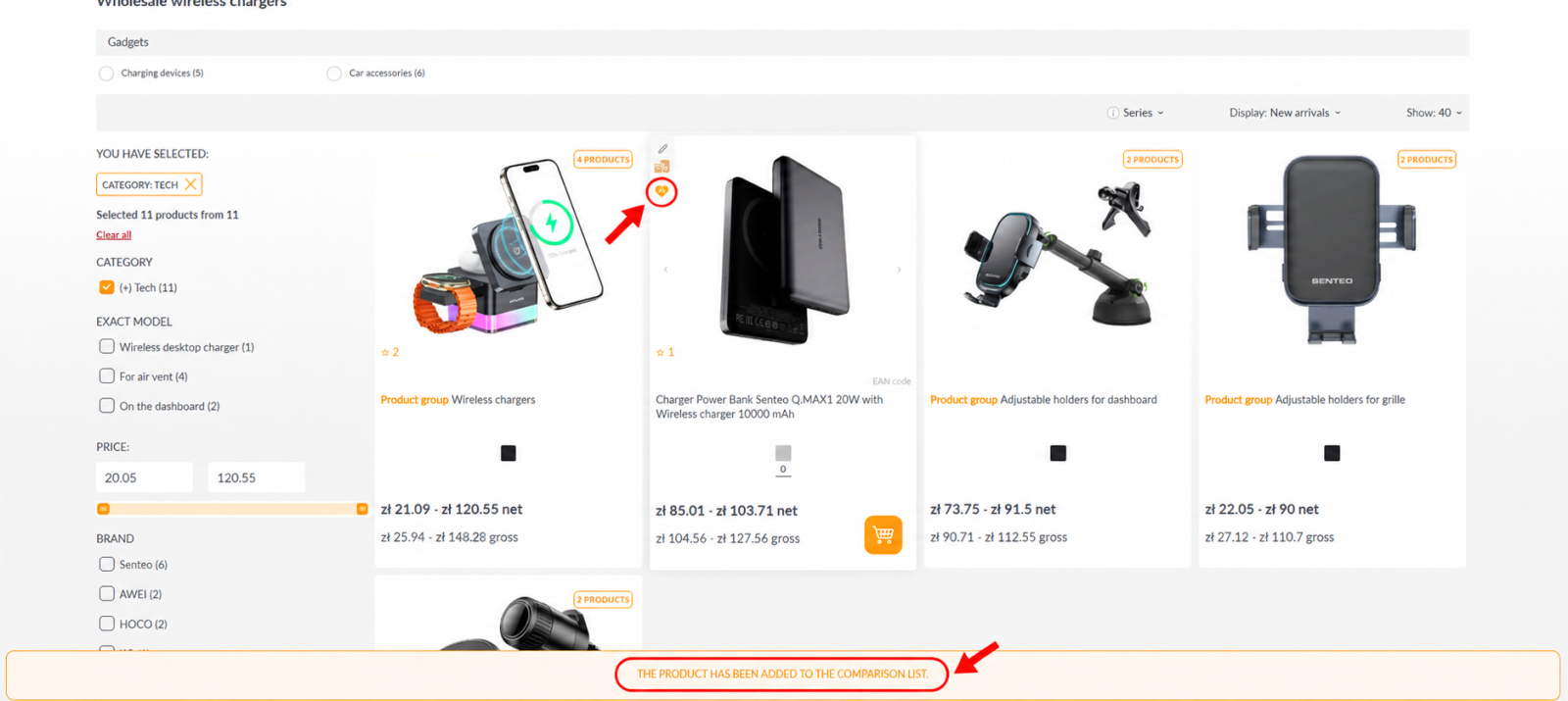
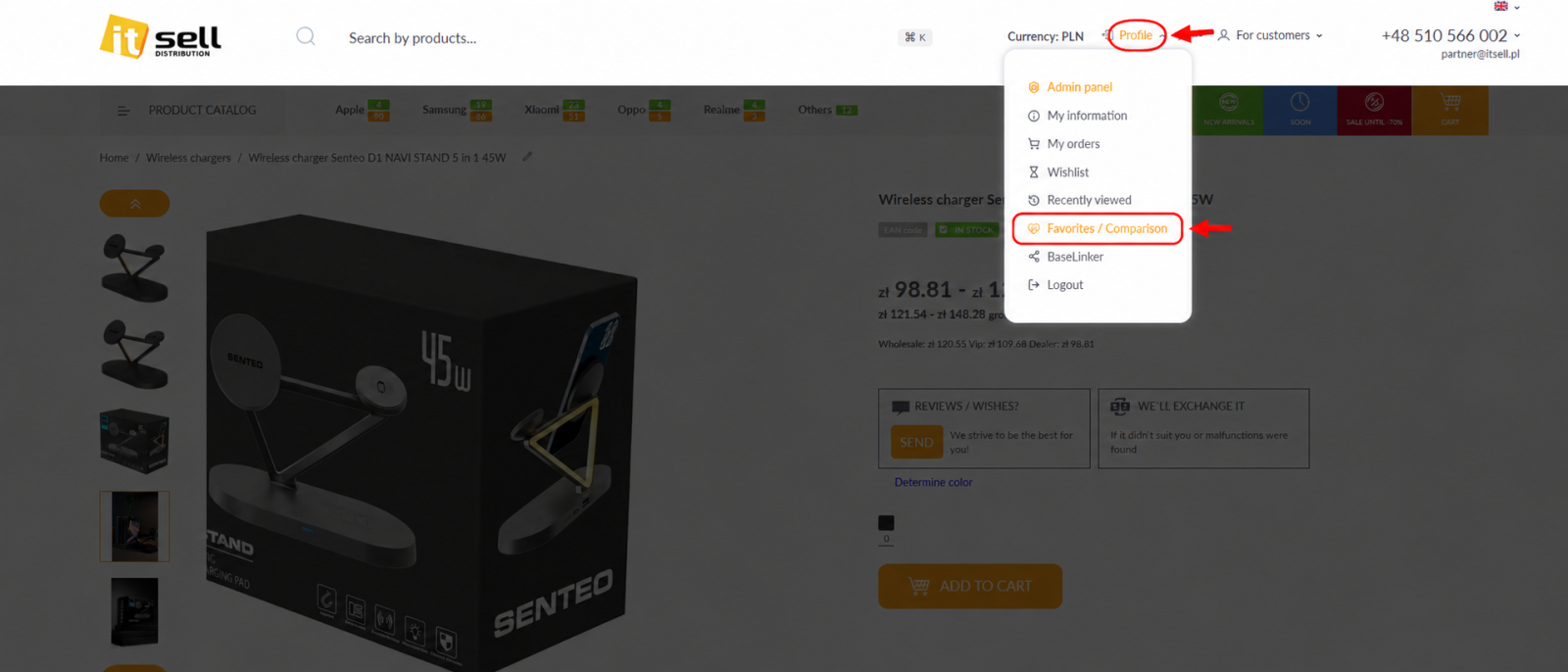
To view your saved products, click “Profile” at the top of the website.
In the profile menu, select “Favorites / Comparison.”
All added products will be displayed on the page. The products are grouped by category.
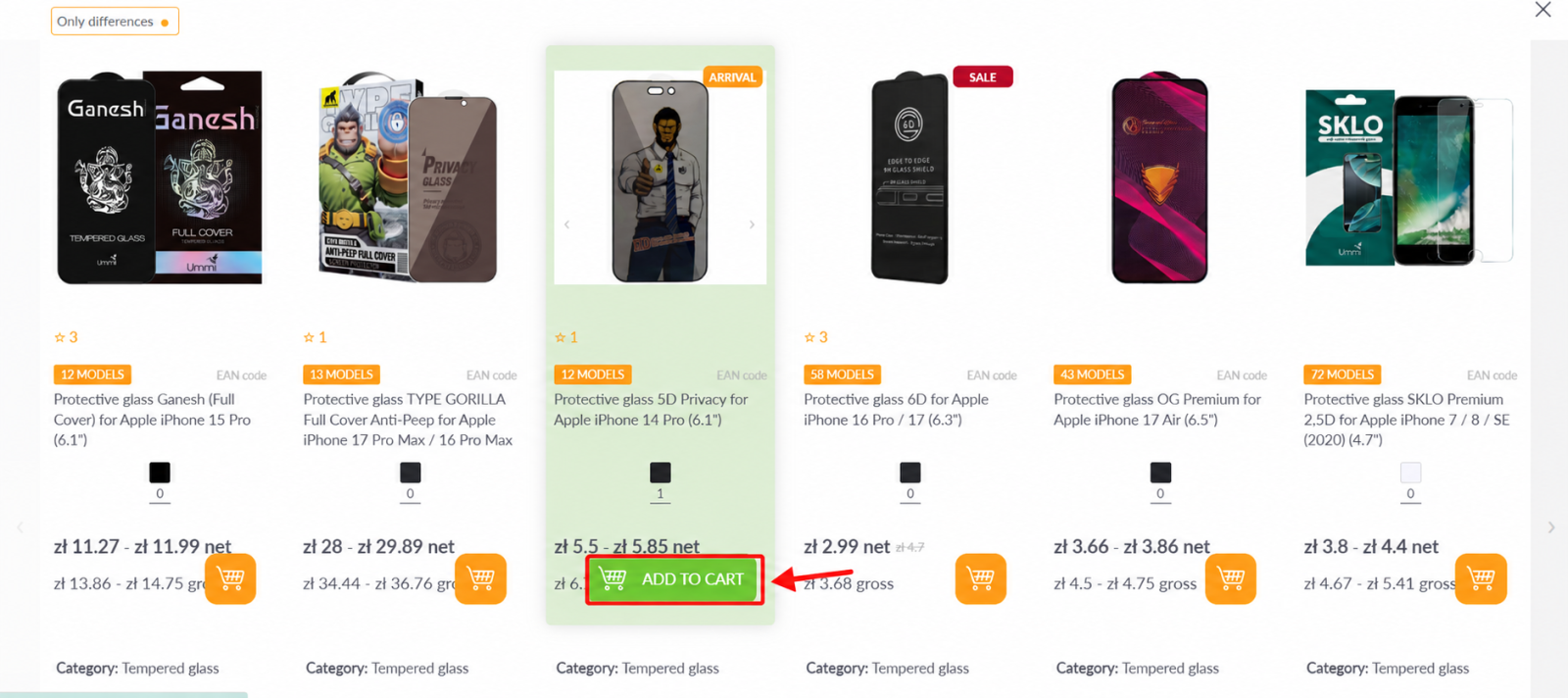
Here you can:
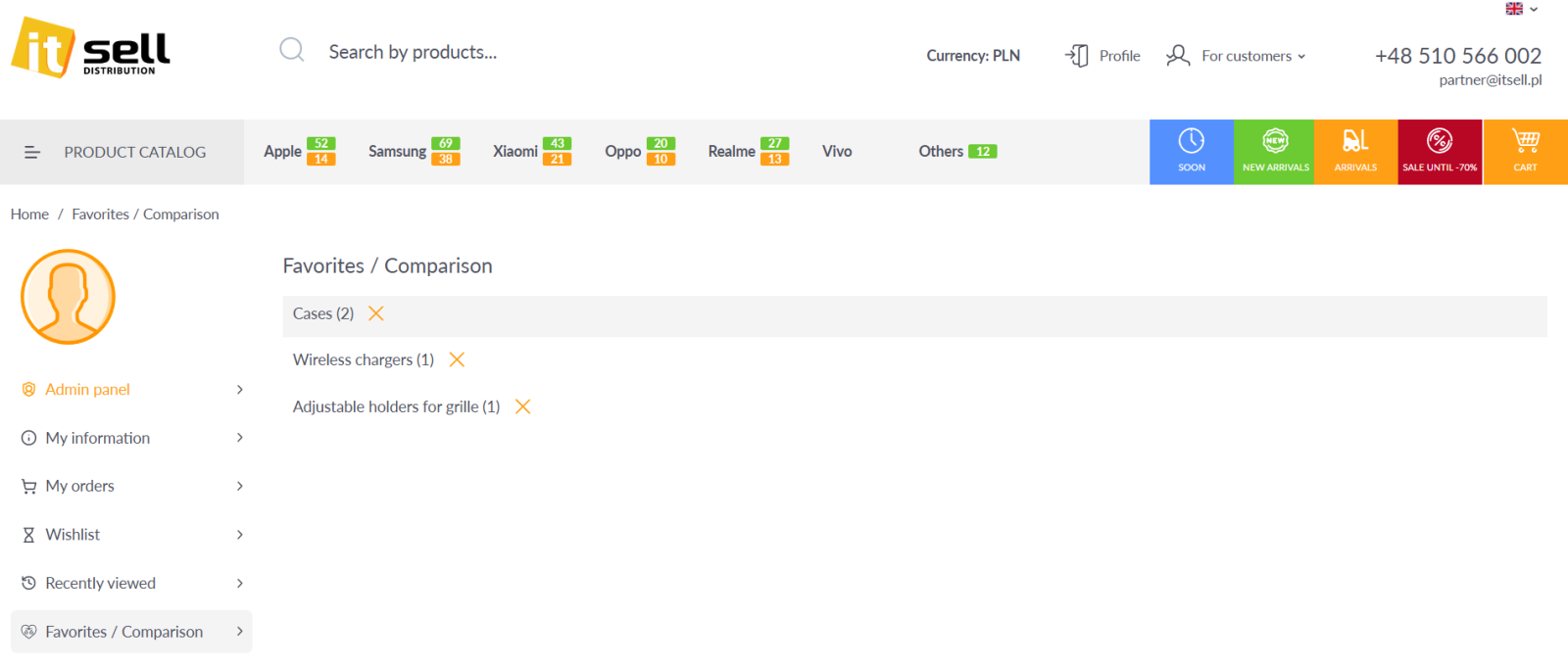
- view the product image, name, SKU, and category;
- compare prices and available colors;
- check product availability;
- select the required option;
- click the orange cart button to add the product to your order.
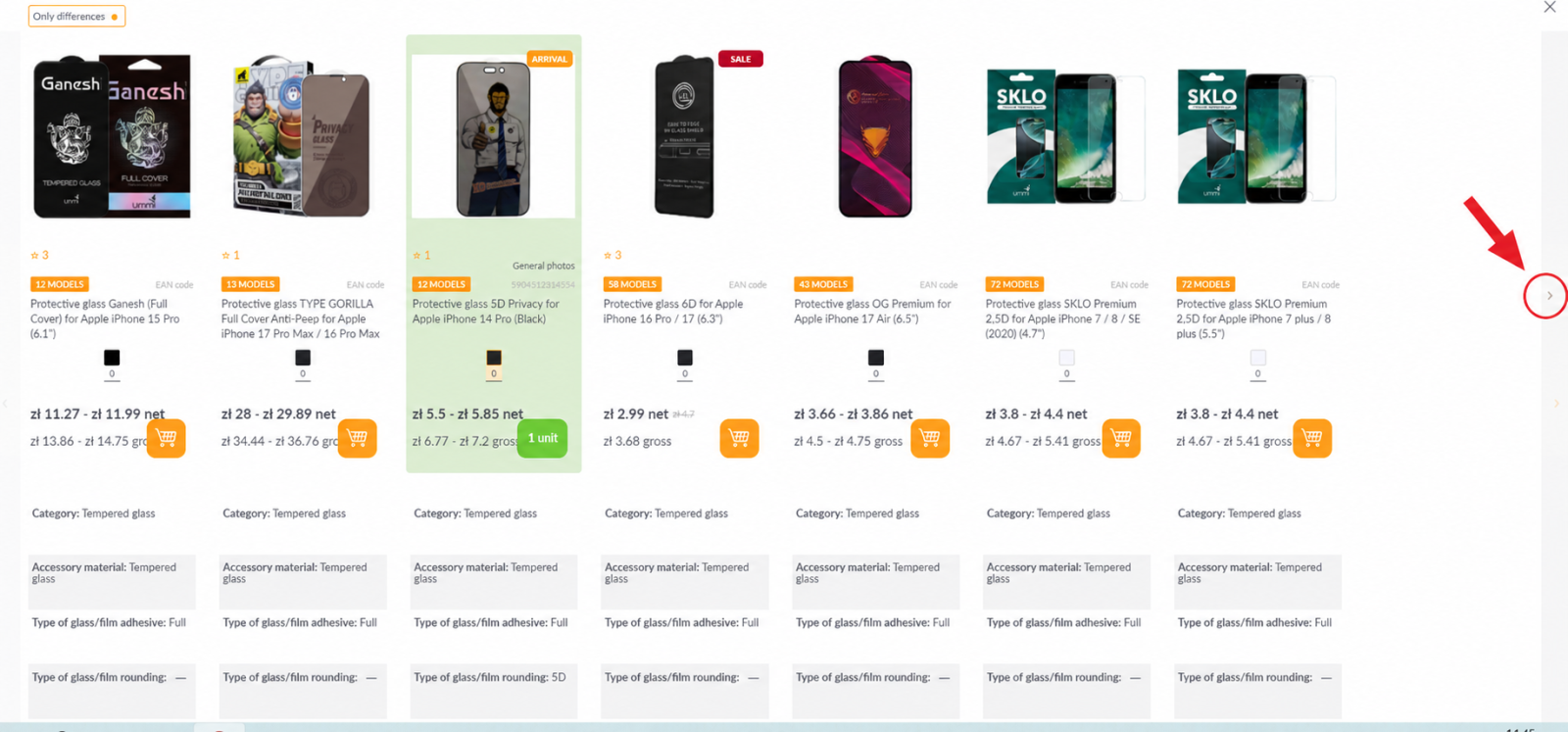
If many products from the same category have been added to “Favorites” for comparison, you can scroll through them using the arrows on the screen or the arrow keys on your keyboard. You can also scroll through the products using your mouse.
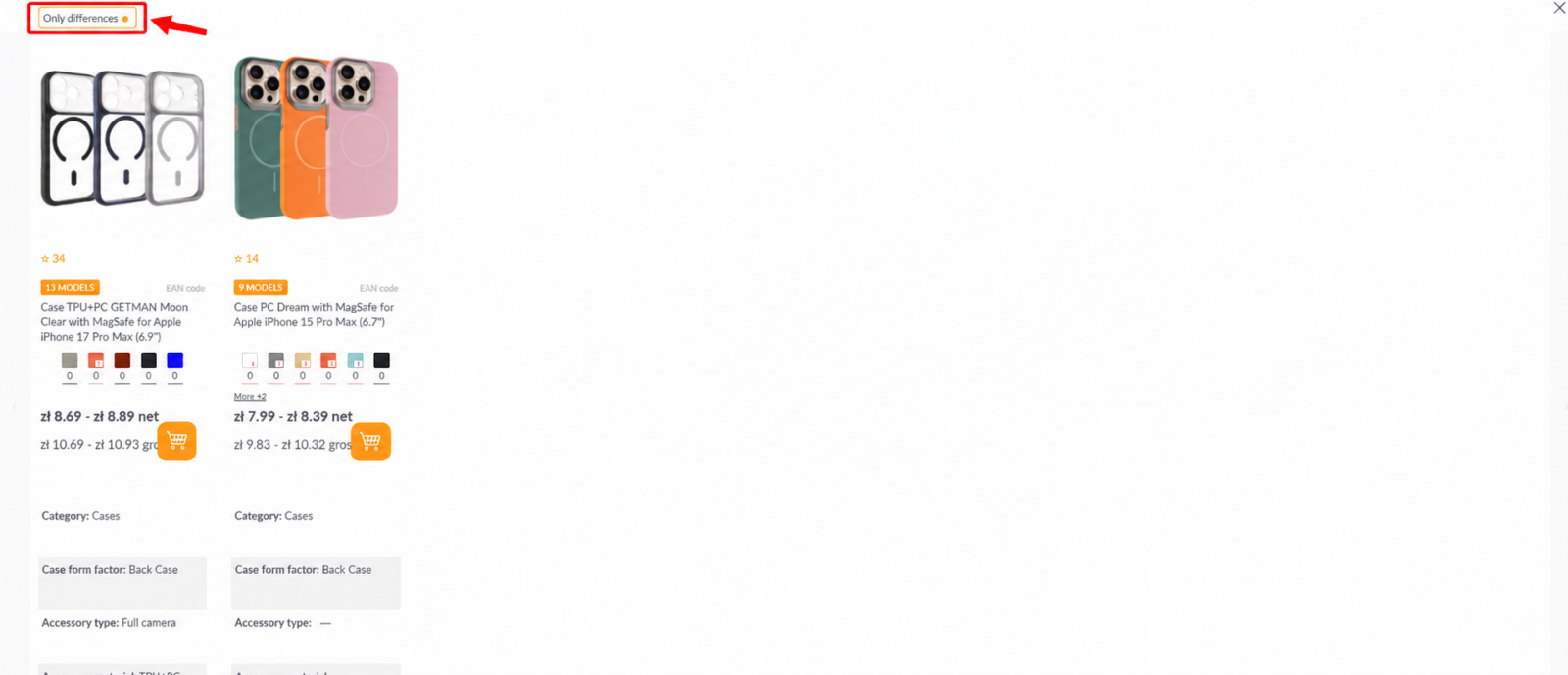
To display only the differences between products, enable the “Differences only” toggle at the top of the page.
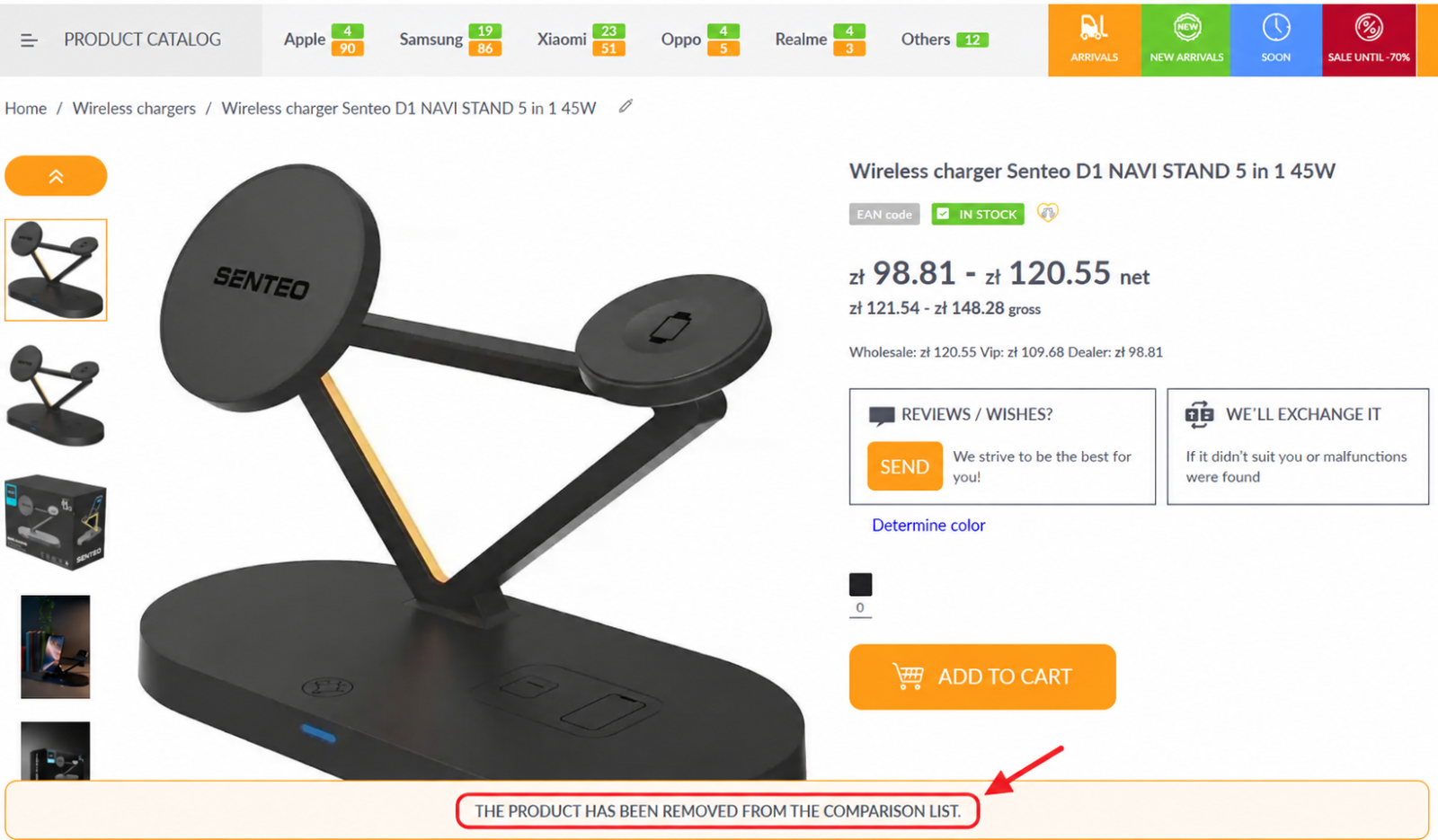
To remove an item from the list, open the product page and click the “Favorites / Comparison” icon again. A message will appear at the bottom: “The product has been removed from the comparison list.”
You can also remove an item directly from the favorites list: click the “Favorites / Comparison” icon, and the product will disappear from the list.
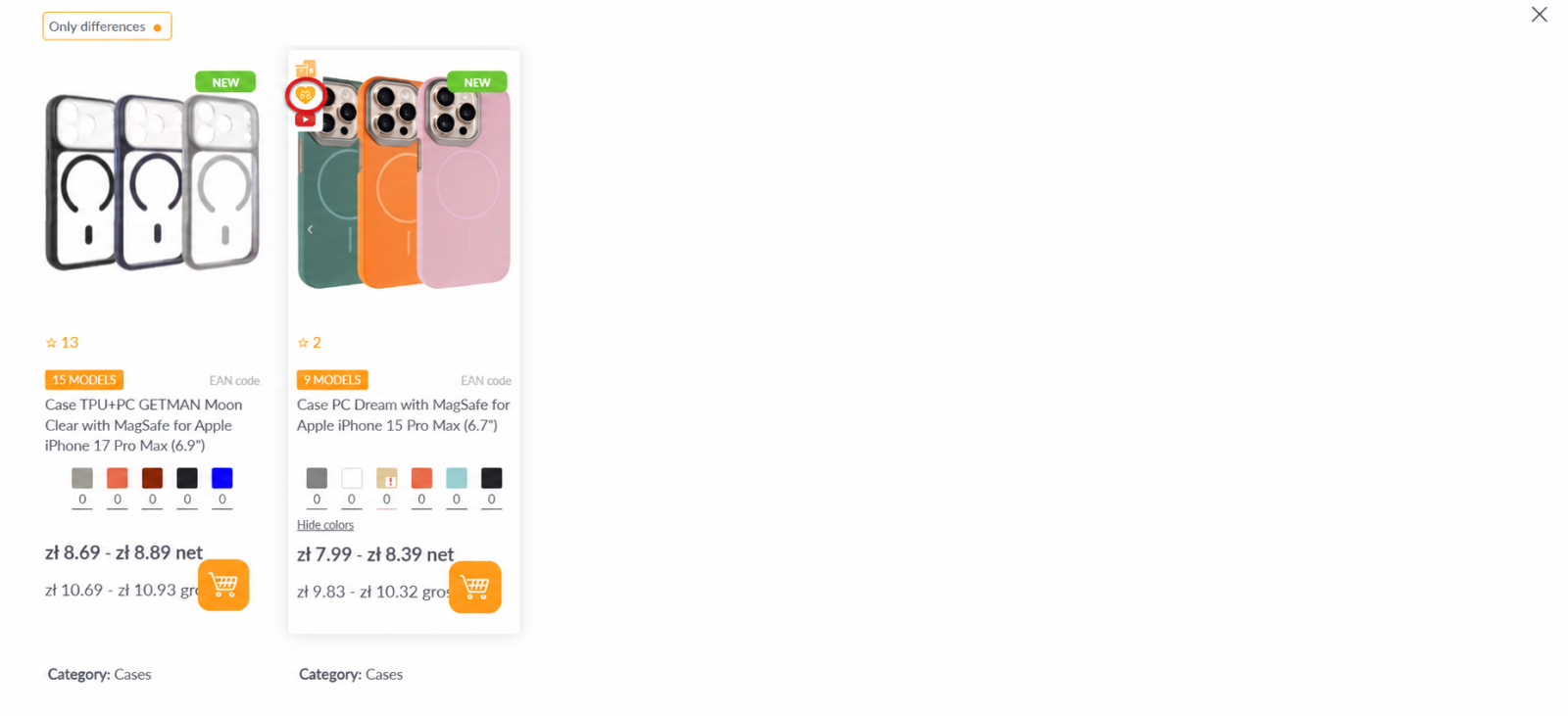
The feature allows you to save products you are interested in, quickly compare them, and immediately add selected items to your cart.
Made with love for you! ❤️