Login
Login
 For customers
 Only at ITsell!
  Cases
Cases 
 Glass / films
 Straps / Cases
  Charging devices
 Audio
Audio  Car accessories
 Cables / Adapters
 For home / office
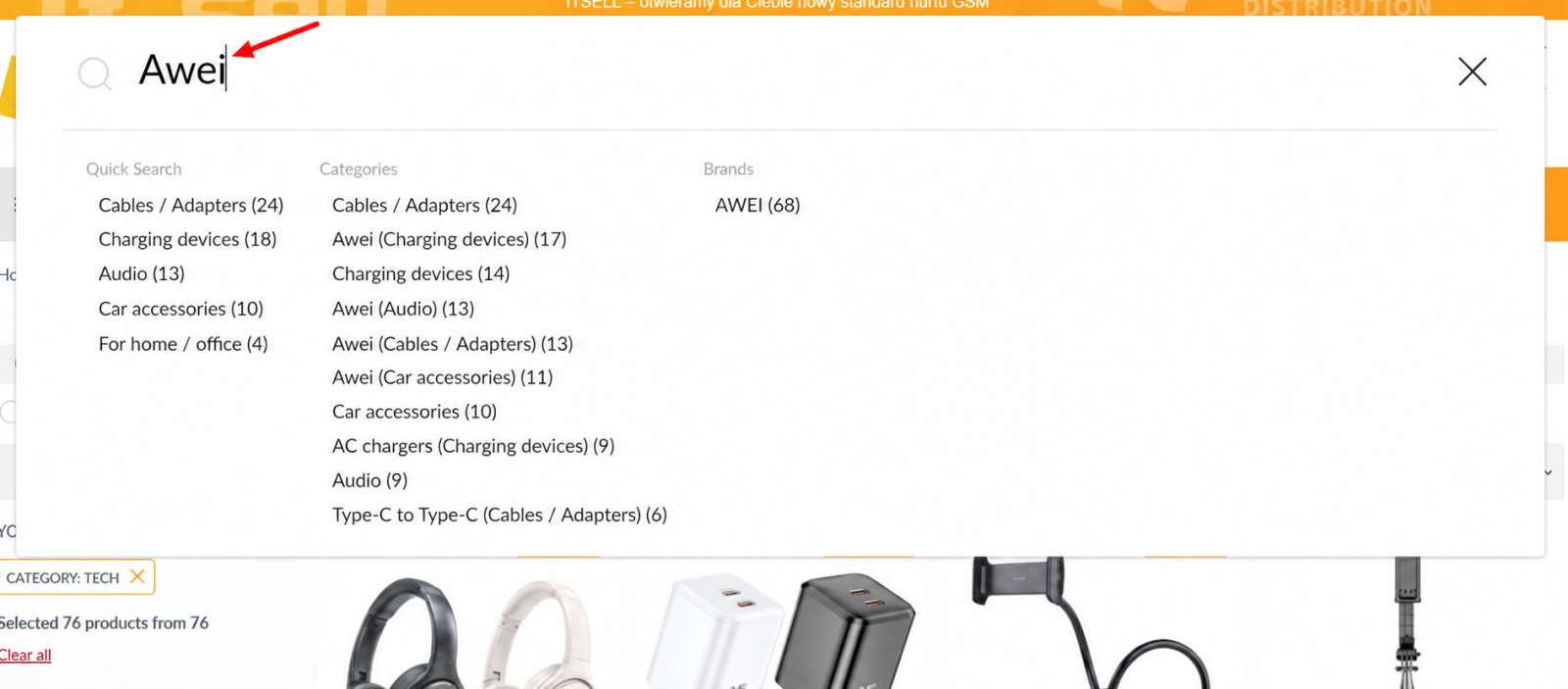
Updated Product Search
A fast and convenient search feature is now available on the website. It helps you find the products you need more quickly and navigate to the relevant filters.
How to Open Search
Click the search bar or use one of the following keyboard shortcuts:
-
/or.— the same key in different keyboard layouts; -
Ctrl + /orCmd + /; -
Ctrl + KorCmd + K.
How Search Works
After you enter a query, the results are automatically divided into four sections:
-
Quick Search — searches by device model;
-
Categories — displays relevant product categories;
-
Series — displays product series and names;
-
Brands — displays relevant manufacturers.
The number of products found is shown next to each option. The results are sorted by the number of available items, with the options containing the most products displayed first.
You can select one of the suggested options or press Enter to view the search results and apply the relevant filter.
The search analyzes product names, categories, series, brands, models, and other parameters. Text from product descriptions is not included in the search.
The system can also recognize queries containing spelling mistakes or inaccuracies. If approximately 70–90% of the query is entered correctly, the search can identify the required word even if it contains 10–30% errors.